Introduction
In the world where data is one of the best valuables of people and businesses. Storage: The vital part of ensuring information in personal files, applications, enterprise databases of all kinds, and cloud services is kept safe and performant. Knowing that storage only are lacking, both the sudden loss of a single drive can bring your organization to a stand still, with a loss of data and business functionality.
This is why RAID technology comes into play. RAID systems are integrated into many organizations as a way to boost storage performance, reliability, and to help mitigate the impact of hardware failures.
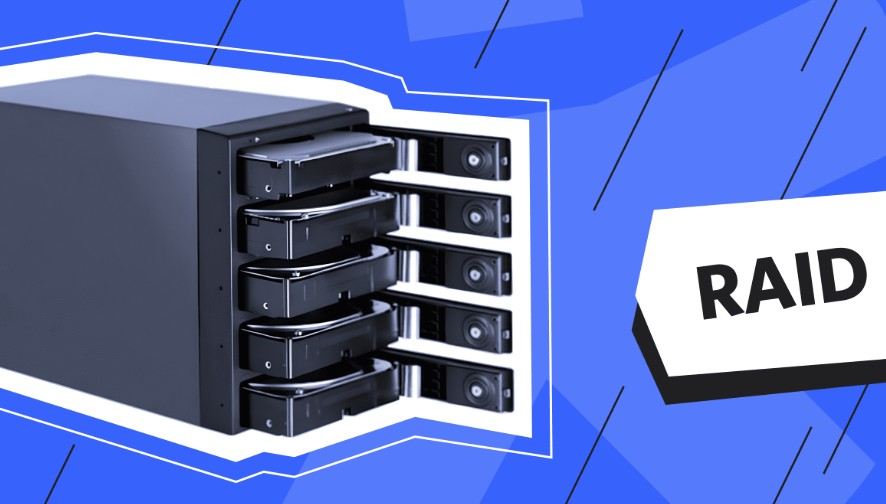
If you are puzzled How does a RAID Array work, in a nutshell, it is a storage technology that combines multiple hard drives or SSDs into a single logical unit to enhance speed, data protection, or both.
In this guide you will learn how RAID works, what are the different RAID levels, advantages, limitations, and how to choose the right RAID configuration.
What Is a RAID Array?
A RAID (redundant array of independent disks) array consists of two or more storage drives that are combined to form a single storage array. It is short for Redundant Array of Independent Disks (RAID).
RAID (Redundant Array of Independent Disks) is a storage technology that filters or mirroring data across multiple drives rather than relying on a single drive. There are several methods to achieve this:
-
Data striping
-
Data mirroring
-
Parity distribution
RAID primarily serves to enhance data storage performance and provide fault tolerance in the event of a drive failure.
See if one of their hard drives dies, they should still be up because they have RAID on a business server that has customer information.
How Does RAID Work?
View Full Form To understand What Is a RAID Array, you need to know how data inside a RAID system is managed.
RAID has a different strategies in how to structure the data:
Striping
Striping is the process of splitting data into ’stripes’ of a specified size, and placing those stripes across multiple drives,
Benefits:
-
Faster read and write speeds
-
Improved system performance
-
Better handling of large files
Example:
We can split a video file into multiple parts and separate files on different drives, and then have access to several sections at the same time.
Mirroring
Mirroring is a process that creates an exact copy of the data on a separate drive.
Benefits:
-
Protection against drive failure
-
Easy recovery process
-
Improved reliability
In the case where one drive fails, the mirrored drive remains available giving continued access to the data.
Parity
Parity keeps extra information that calculates a healthy version of lost data after a drive failure.
Benefits:
-
Data recovery capability
-
More Storage Efficient than Full Duplication
-
Increased fault tolerance
Common RAID Levels Explained
Different RAID Configurations have Different Requirements Some emphasize speed, while others emphasize protection.
| RAID Level | Minimum Drives | Main Feature | Data Protection |
|---|---|---|---|
| RAID 0 | 2 | Data striping | No protection |
| RAID 1 | 2 | Data mirroring | Protects against one drive failure |
| RAID 5 | 3 | Striping with parity | Protects against one drive failure |
| RAID 6 | 4 | Dual parity | Protects against two drive failures |
| RAID 10 | 4 | Mirroring + striping | High protection and performance |
RAID 0: Maximum Performance
RAID 0: RAID 0 is a speed-centered configuration that divides information over various drives.
Advantages:
-
Excellent performance
-
Maximum storage capacity
-
Faster file transfers
But RAID 0 gives nothing in the way of a backup. The downside is that if either drive fails all data can become unreadable.
Common uses:
-
Video editing systems
-
Gaming computers
-
Temporary high-speed storage
RAID 1: Reliable Data Protection
RAID 1 uses mirroring technology. Two drives hold the same information.
Advantages:
-
Strong data protection
-
Simple recovery process
-
Increased read performance
Biggest drawback is lowered storage capacity due to 50% of available storage being used by duplication.
Example:
2 2TB drives in RAID 1 gives around 2TB useable storage.
RAID 5 and RAID 6: Storage Solutions With Balanced Priorities
RAID 5 offers a combination of striping and parity, balancing performance and reliability.
Advantages:
-
Efficient storage usage
-
Good read performance
-
Protection against one drive failure
What is RAID 6?RAID 6 is similar to RAID 5 but with an additional layer of parity redundancy added to the configuration.
Advantages:
-
Can handle two drive failures
-
Suitable for larger storage environments
-
Better reliability for enterprise systems
RAID 10: Performance With Protection
RAID 10 — It is the avowed technology of both RAID 1 and RAID 0.
It provides:
-
High-speed performance
-
Strong fault tolerance
-
Faster recovery after drive failure
RAID 10 is commonly used for:
-
Database servers
-
Virtual machines
-
Business-critical applications
Disadvantage: The higher costs due to additional drives.
Benefits of Using RAID Technology
This is why an organization takes RAID, as there are always important benefits:
Improved Data Availability
RAID minimizes downtime by keeping systems running even when one drive fails.
Better Performance
Certain RAID levels are designed to speed up adding storage by allowing multiple drives to work on the data in parallel.
Increased Reliability
Parity mechanisms and data duplication protect frequent file loss due to hardware failure.
Scalable Storage
The flexibility of RAID systems can be expanded as storage needs when additional drives are added.
The Difference Between RAID and Backup
RAID is frequently mistaken for a comprehensive backup solution by novice users.
RAID protects against:
-
Hard drive failure
-
Hardware problems
-
Storage downtime
RAID does not protect against:
-
Accidental deletion
-
Malware attacks
-
Ransomware
-
Theft
-
Natural disasters
A data protection strategy generally should include:
-
RAID storage
-
Regular backups
-
Cloud or external backup copies
-
Disaster recovery planning
Hardware RAID vs Software RAID
RAID can be deployed in hardware or software.
| Feature | Hardware RAID | Software RAID |
|---|---|---|
| Controller | Dedicated RAID controller | Managed by operating system |
| Cost | Higher | Lower |
| Performance | Usually faster | Depends on system resources |
| Setup | More complex | Easier |
From the hardware RAID, which is found in the enterprise-level servers — to the software RAID, which runs on smaller systems and personal users.
Where Are RAID Arrays Used?
RAID system mainly used in:
-
Business servers
-
Data centers
-
NAS storage devices
-
Video production systems
-
Database environments
-
Cloud infrastructure
Organizations that process vast amounts of critical data are mostly based on RAID for availability and to minimize operational risks.
Choosing the Right RAID Configuration
Your needs will determine the right RAID level for you.
Consider these factors:
-
Required storage capacity
-
Budget
-
Performance needs
-
Data importance
-
Number of available drives
For example:
-
Select RAID 0 for performance-centric workloads
-
Select RAID 1 for easy data protection
-
Use RAID 5/RAID 6, In Shared Storage environments
-
RAID 10 is best suited for high-performance business applications
Frequently Asked Questions (FAQs)
What Is RAID Array — How Do You Use It?
RAID array combine multiple storage drives for performance, reliability or data redundancy.
Does RAID prevent data loss?
RAID protects against data loss due to drive failures but does not eliminate the need for regular backups.
Which RAID configuration is better for the business servers?
RAID 10, RAID 5, and RAID 6 are common ones based on your performance and reliability needs.
Can SSDs be used in RAID?
Yes SSDs can be used in RAID arrays to improve performance and reliability.
What is the minimum number of drives for RAID?
Depending on RAID level, the total number of actual drives needed will depend. Some SKUs ask for two drives, while others call for four or more.
Conclusion
By learning What Is a RAID Array makes it easier for businesses and individuals to ever puzzled about storage management. RAID offers a reliable solution to enhance performance, boost availability, and safeguard critical data against hardware failures.
RAID, however, is never a substitute for a good backup strategy and complete protection from data loss. Selecting the appropriate RAID level depends on your storage needs, your budget, and how critical your data is. A correctly configured RAID can form a stable base for modern computing environments.